📋 HTML Forms
Learn to create interactive forms for user input
📚 What are HTML Forms?
📌 Key Concept
HTML forms are used to collect user input. Forms contain form elements like text fields, checkboxes, radio buttons, submit buttons, etc. The <form> tag is used to create a form.
Form Anatomy
A complete form consists of:
- <form>: Container for form elements
- <label>: Labels for form fields
- <input>: Input fields (text, email, password, etc.)
- <textarea>: Multi-line text input
- <select>: Dropdown lists
- <button>: Submit and reset buttons
Form Attributes
| Attribute | Description | Example |
|---|---|---|
| action | Specifies where to send form data | action="/submit" |
| method | GET or POST | method="POST" |
| name | Form name for reference | name="loginForm" |
💻 Code Examples
📝 Example 1: User Signup Form
A registration form collecting user details like name, email, and password.
                            <form action="/signup" method="POST">

                                  <label for="fullname">Full Name:</label>

                                  <input type="text" id="fullname" name="fullname" required>


                                  <label for="email">Email:</label>

                                  <input type="email" id="email" name="email" required>


                                  <label for="password">Password:</label>

                                  <input type="password" id="password" name="password" required>


                                  <button type="submit">Sign Up</button>

                            </form>
▶️ Output:
📝 Example 2: Detailed Feedback Form
A comprehensive form with text input, dropdown selection, and a textarea.
                            <form action="/feedback" method="POST">

                                  <label for="name">Your Name:</label>

                                  <input type="text" id="name" name="name" required>


                                  <label for="type">Feedback Type:</label>

                                  <select id="type" name="type">

                                        <option value="suggestion">Suggestion</option>

                                        <option value="bug">Bug Report</option>

                                        <option value="other">Other</option>

                                  </select>


                                  <label for="comments">Comments:</label>

                                  <textarea id="comments" name="comments" rows="4"></textarea>


                                  <button type="submit">Send Feedback</button>

                            </form>
▶️ Output:
✍️ Practice Assignments
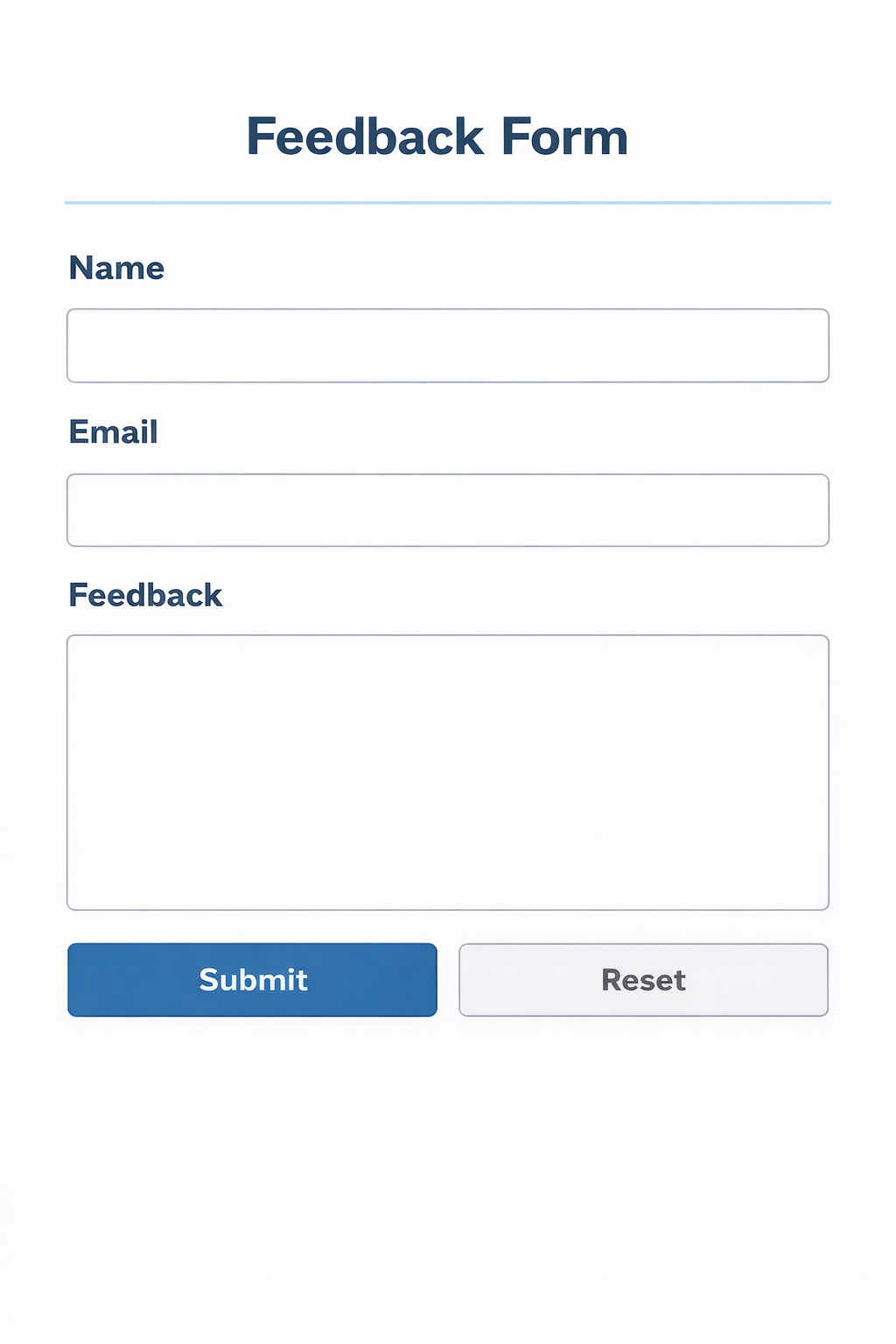
🎯 Assignment 1: Feedback Form
Easy- Create a form with name, email, and feedback text area
- Add submit and reset buttons
- Use proper labels for accessibility
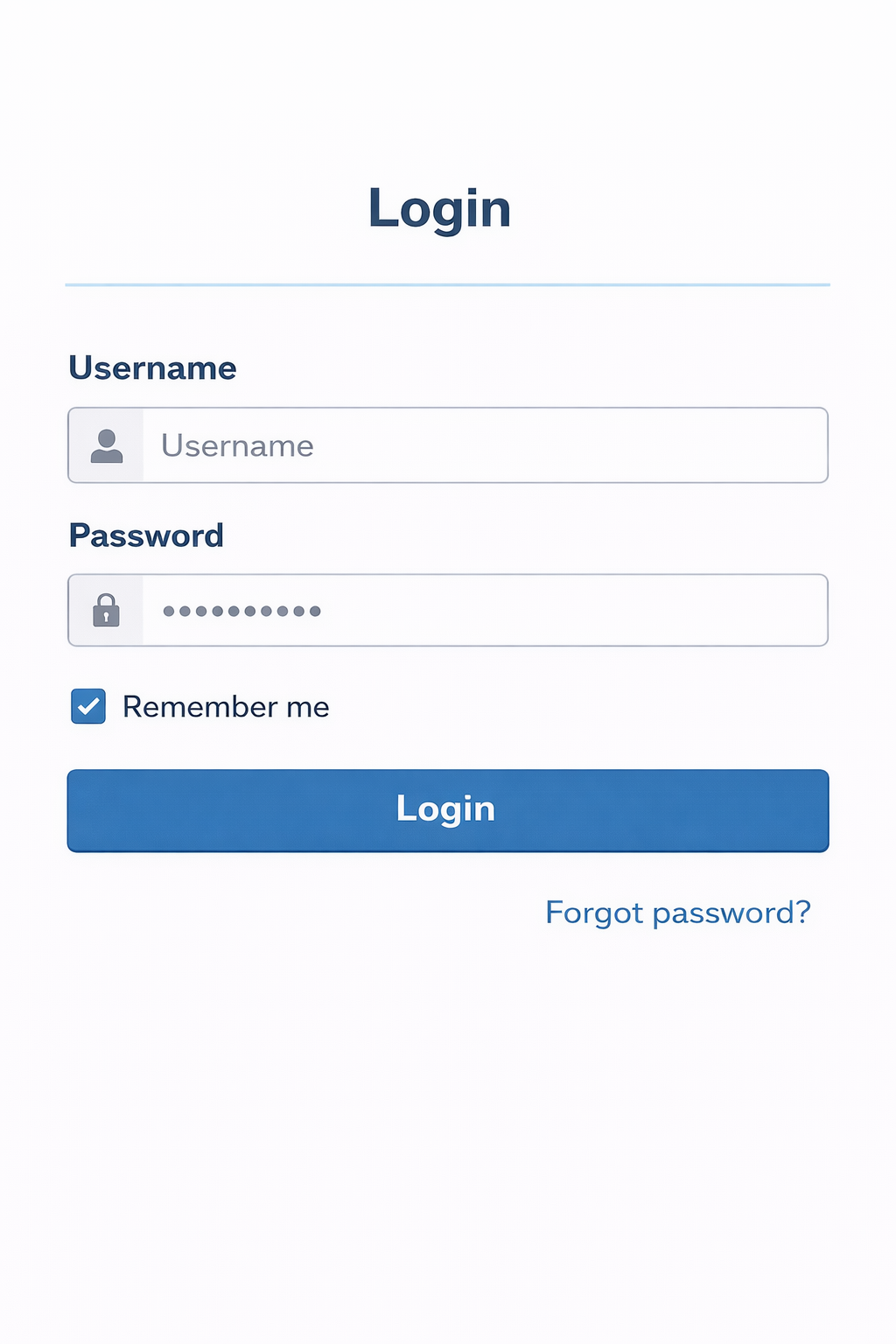
🎯 Assignment 2: Login Form
Medium- Create username and password fields
- Add "Remember me" checkbox
- Add submit button and forgot password link
🎯 Assignment 3: Job Application Form
Hard- Multiple text fields for personal information
- Dropdown for job position selection
- Radio buttons for experience level
- Checkboxes for skills
- Text area for cover letter

🎓 Key Takeaways
- Forms are used to collect user input
- Always use labels for better UX and accessibility
- Use appropriate input types for different data
- Set action and method attributes properly
- Use required attribute for mandatory fields
×
![]()